In work, study, and life, some stumble upon a Youtube video that is very helpful, what do you do? Click on a bookmark? You have already bookmarked too much content. Share a message, or even send an email? You already have too much spam. Maybe you have another way to embed this Youtube video in a Tracup task, assign it to yourself, set a due date, and label the category.
Wow, this video is so amazing and funny, after watching it, you may like to share it with your best friend. Let him or her see the videos. So how to share the videos? How many ways to share the videos? Let me explain to you.
The origins of YouTube
Most of us already know what is YouTube, but I’d still like to introduce its background to you. YouTube is an American online video sharing and social media platform headquartered in San Bruno, California. It was launched on February 14, 2005, by Steve Chen, Chad Hurley, and Jawed Karim. It is owned by Google and is the second most visited website after Google Search. YouTube has more than 2.5 billion monthly users who collectively watch more than one billion hours of videos each day. As of May 2019, videos were being uploaded at a rate of more than 500 hours of content per minute.
How to share videos
After knowing the background of YouTube, let’s talk about how to share the videos from YouTube.
The most common way is to click the share button under the video. You can see so many options from there. You can share through WhatsApp, Twitter, and Facebook with your friends. This is the first way to share the videos.
The second way to share videosAnd the second way of sharing videos is that you have to download the video. By using this way, it will take you a long time to download the video if the network is not working well. However, the advantage of this way is for your friend. He or she can watch the video even without Wi-Fi or a network.
What is Tracup?The last but not least way is to use our amazing tool, Tracup. It is a collaborative workspace focused on knowledge workers and digital developers, to integrate the most popular productivity tools and applications like Github, Figma, Zoom, Slack, etc.
Slash Commands are the new, exciting way to build and interact with integrated tools and applications on Tracup. It integrated a lot of tools and you can use them for free in Tracup.
A better way to share videosWe have already embedded the link to YouTube, thus you can easily login Tracup and then create a new task.
The magic is happening, after you type in slash, you will find out some cool functions, one of them is YouTube. So, if you’d like to share the videos with your friend. The only thing you have to do is to copy that YouTube link, then send the link to your friend. He or she puts the link into that box, then he or she can see the video that you shared.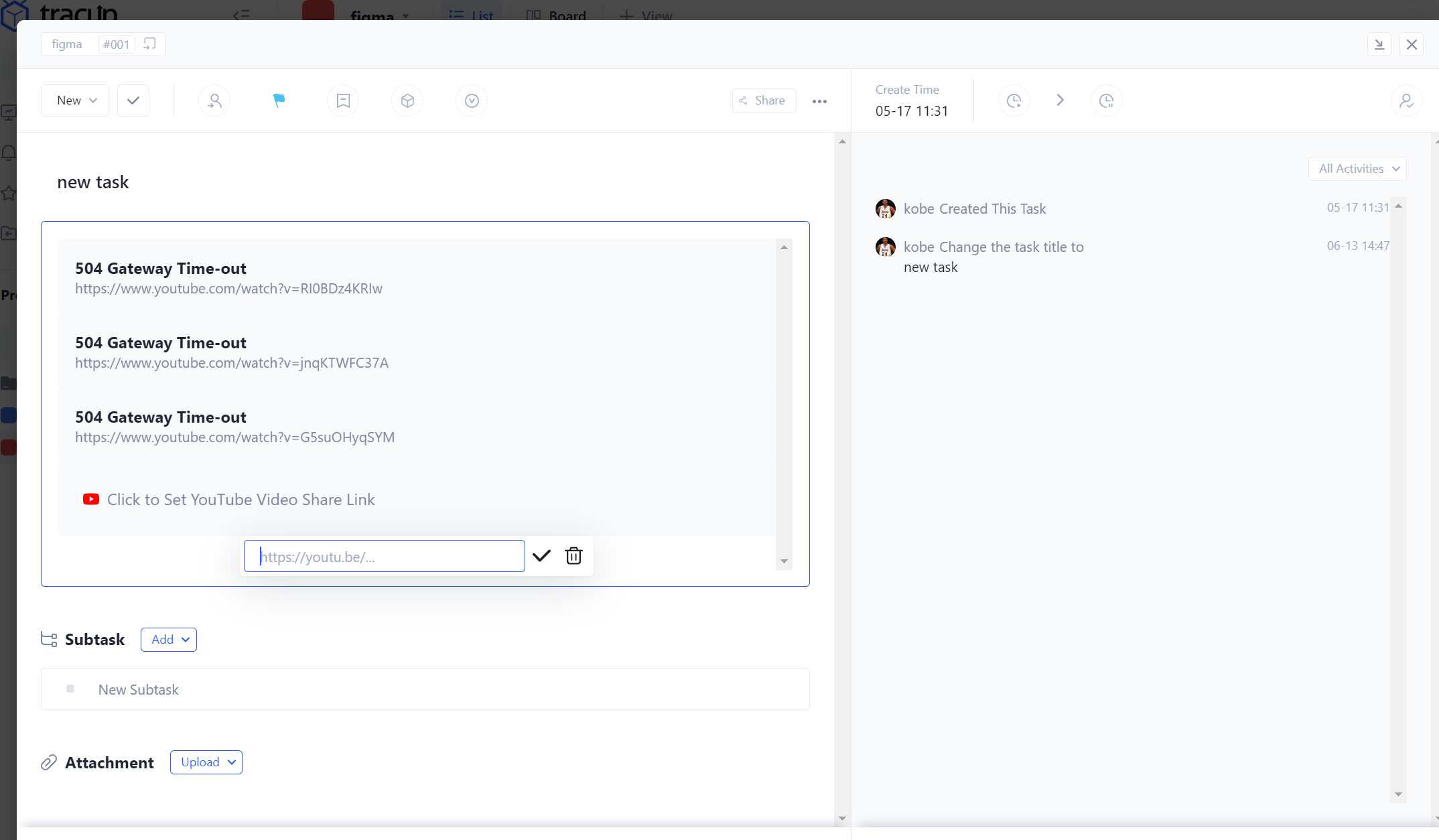
Collaborate with your team from anywhere
Working together while apart has never been more critical. See how Tracup, a collaborative workspace of agile tools, issue tracking software, work planning solution, and task management focused on knowledge workers and digital developers to help teams create their best work from anywhere.
Create quickly
Produce quality work in less time with intelligent writing tools, and even drag and drop any file, such as an image, video, document, URL, and a block of codes, to create a task.
Connect in the latest version
Keep tasks and projects moving forward by communicating with colleagues right within files by using @mentions, and comments.
Bring it all together
Deep integrations with the most popular productivity tools like Github, Figma, Zoom, Slack, Google Drive, and even Microsoft Office, etc. help you get more done from anywhere.
Find out how and see you on www.tracup.com, all in all, do not hesitate to use Tracup, there are more and more fun things waiting for you to explore. Hit on us!
Keywords: slash commands, imbed the link, integrate, Tracup, agile tools, issue tracking software, work planning solution, task management
Read more: https://tracup.com/blog/How-to-Share-YouTube-Videos-with-Your-Friends
https://www.digitaljournal.com/pr/how-to-share-youtube-videos-with-team-in-tracup
ReplyDeletehttps://sejamachoalfa.com/how-to-share-youtube-videos-with-the-team-in-tracup/
Delete