Key Performance Indicators (KPIs) are indicators that measure the performance of a specific activity or process. Typically, the goal of a KPI in HR is to analyze the success of a project based on what you want to achieve. HR KPI metrics an advanced HR playbook template in Tracup can help users customize their own solving plan.
Users may want to record some extra details against an employee that office, simplify does not store by default. For example, users may want to store their own employee reference number or dietary preferences.
What Is HR KPI?
The channel to…
- Improving the evaluation and the incentive mechanism and improving the per capita benefits.
- Providing sufficient talents for business development.
And its stand for: Key Performance Indicator.
HR KPI can continuously improve strategic human resources planning, continuous standardization, optimize HR process, system and standards. Improve the work analysis and evaluation, clarify responsibilities and competence, and build and improve HR management model suitable for the characteristics of the company.
HR KPI And Metrics in Tracup
In order to help human resource manager make their jobs easier, Tracup has some human resources performance metrics and KPI for users.
In last article about HR playbook, we give users a module of how to recruitment.
Let’s have a short review for recruitment.
Recruitment is a crucial HR function, and it decides the effectiveness of hiring process. Tracup HR playbook can help users reduce their recruitment costs and find the best talent.
And today Tracup will show you how to achieve the employee engagement with this advanced HR playbook.
HR department is so important for a company and HR KPI determine if HR department is attaining the standard objectives.
Many HRs are accustomed to using Excel sheets to track their HR metrics. And if users are reading this article, it’s time to get change. Let’s choose the best talent for this job in Tracup!
What Tracup Can Achieve by Custom Field?
- Set HR goals for achieving their KPI
Before using Tracup to track everything, users need to set a goal first! Enter your goals in description and make it as a checklist.
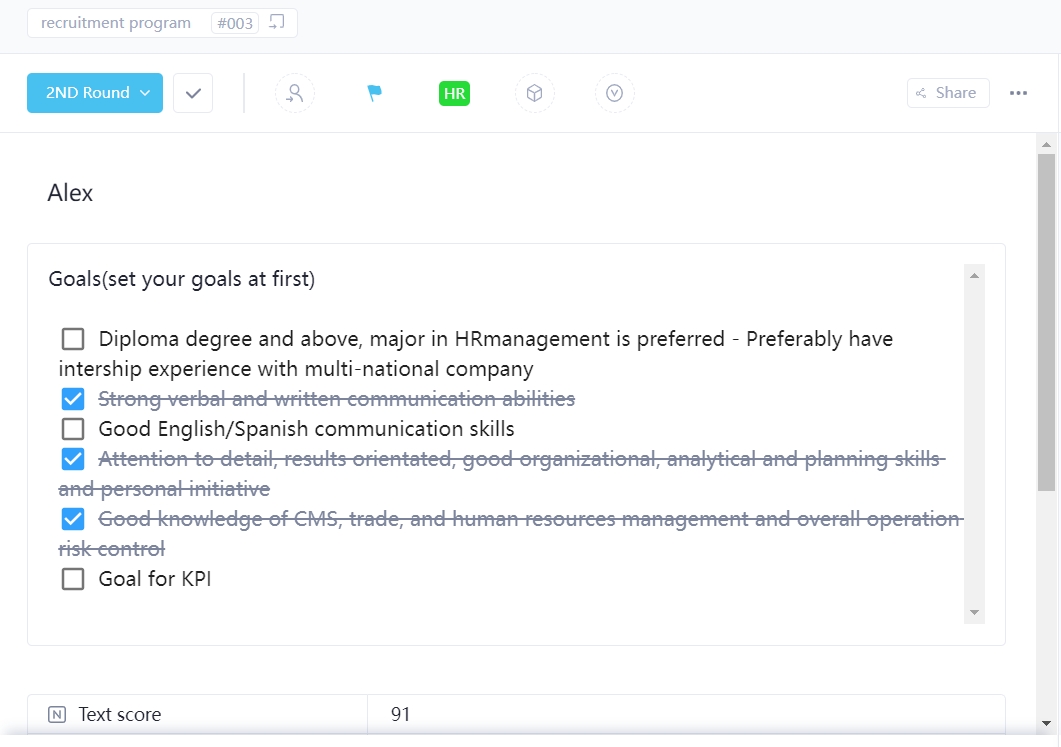
As a performance recording mechanism, Tracup KPI recording can help users show every step of their day.
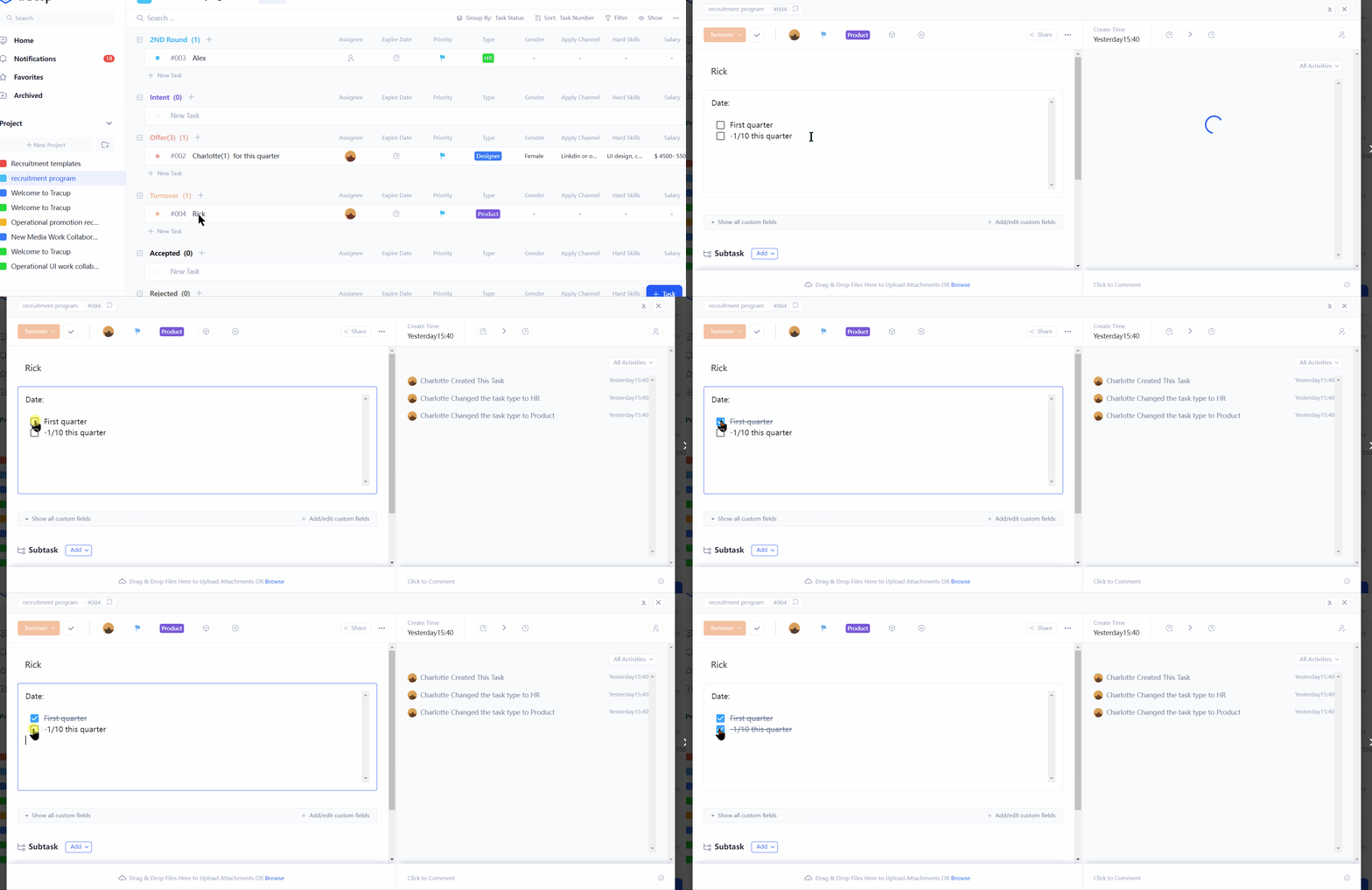
Each time users finish their KPI, just click the checklist.
- Customize the HR metrics to track HR KPI
Currency: keep track of users’ cost
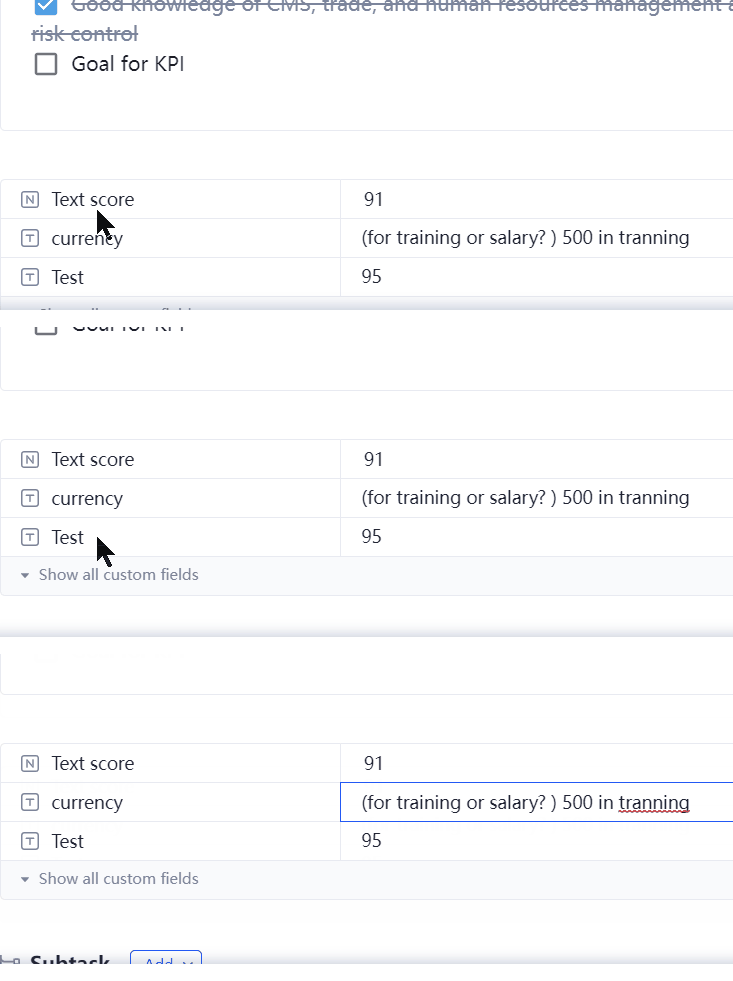
Progress: check if HR is completing his HR goals
Number: record the cost per hire or training costs
Employee turnover: decrease employee turnover rate by 10% by the third quarter.
HR can also get customized complete status of each interview test.
Completed well: candidates have well-finished this test and get score > 95
Worked on: if this is a remote-interview, candidates may not send the feedback yet
Who’s behind:
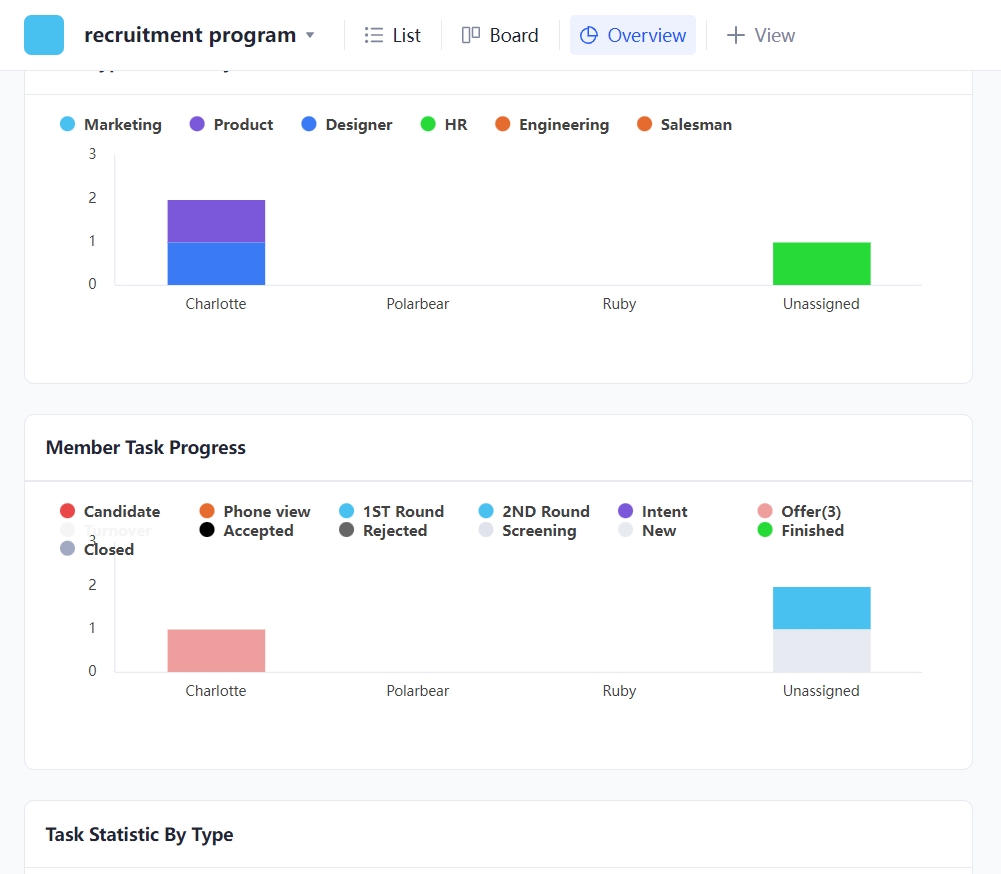
Tracup overview can help HR view and make analytical conclusion for managing their KPI.
STAR Interview Method with Custom Field
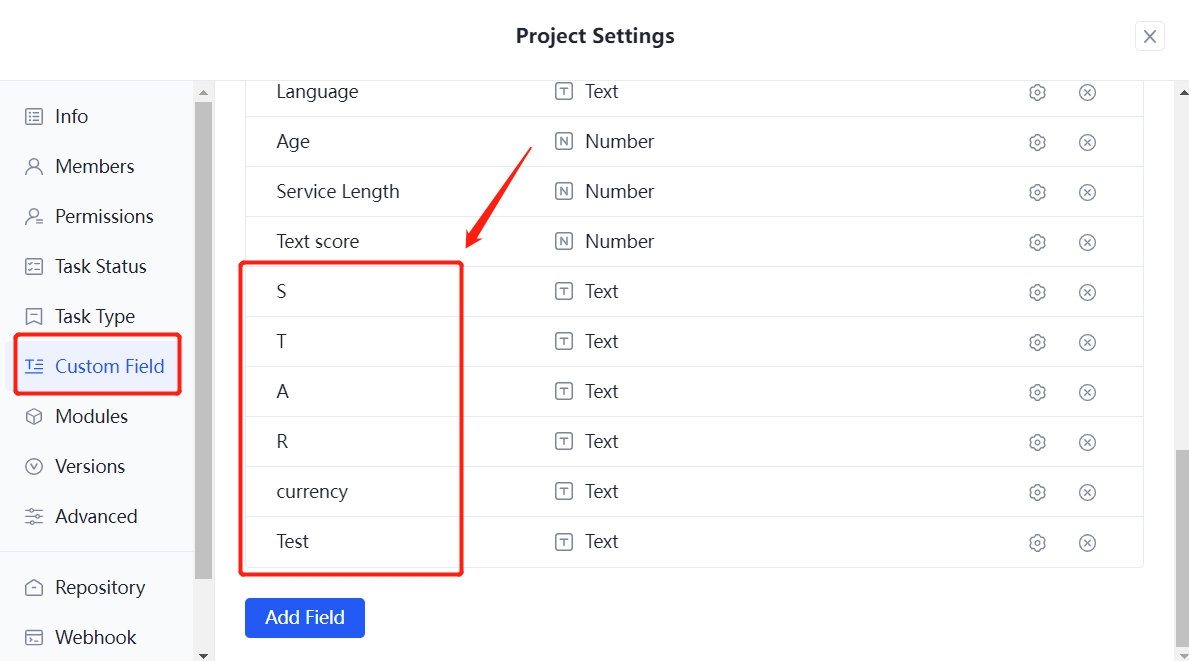
Also, HR can add these STAR interview method to improve their HR KPI and metrics.
S: Situation
What was the situation like at that point?
T: Task
What was your task at that time?
What goals you want to reach?
A: Action
What role were you playing in the whole progress of project?
What was your reaction?
What were your thinking about at that time?
R: Result
Is there any influence for you after this happened?
HR can record all of these in a custom field and write down the experience of each candidate.
Want to learn more about Tracup playbook, please contact us at Tracup.
Read more: https://tracup.com/blog/HR-KPI-Metrics-And-An-Advanced-HR-Playbook
Keywords: What are KPI metrics in HR, hr playbook template, HR KPI Metrics, HR goals, Remote-interview, STAR interview method, Tracup
Comments
Post a Comment