Under the shock of COVID-19, there are no romantic backwater places like Cesme peninsula or Aegean coast for enterprise managers to make their sales contracts face-to-face with their clients but only online or on their computers.
Why choose online contract management
It was in 1259 B.C that the oldest contract Egypt-Hittite Peace Treaty, also known as the Eternal Treaty or the Silver Treaty, was born. It is also the earliest known surviving peace treaty.
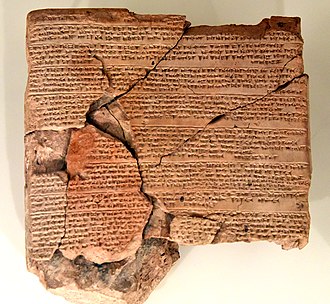
After about 3,000 years, human beings still adopt this kind of “Contract Texts “ to manage their work and record their business.
Especially in 2022, under the shock of COVID-19, similar transformations are underway all along sales contracting. There are no beautiful backwater places like Cesme peninsula or Aegean-coast-ash for enterprise managers to make their sales contract with their clients but only online or on their computers.
Find your own template to manage your sales contracts
Managers around the world try to find another way to make and manage their contracts online but not offline.
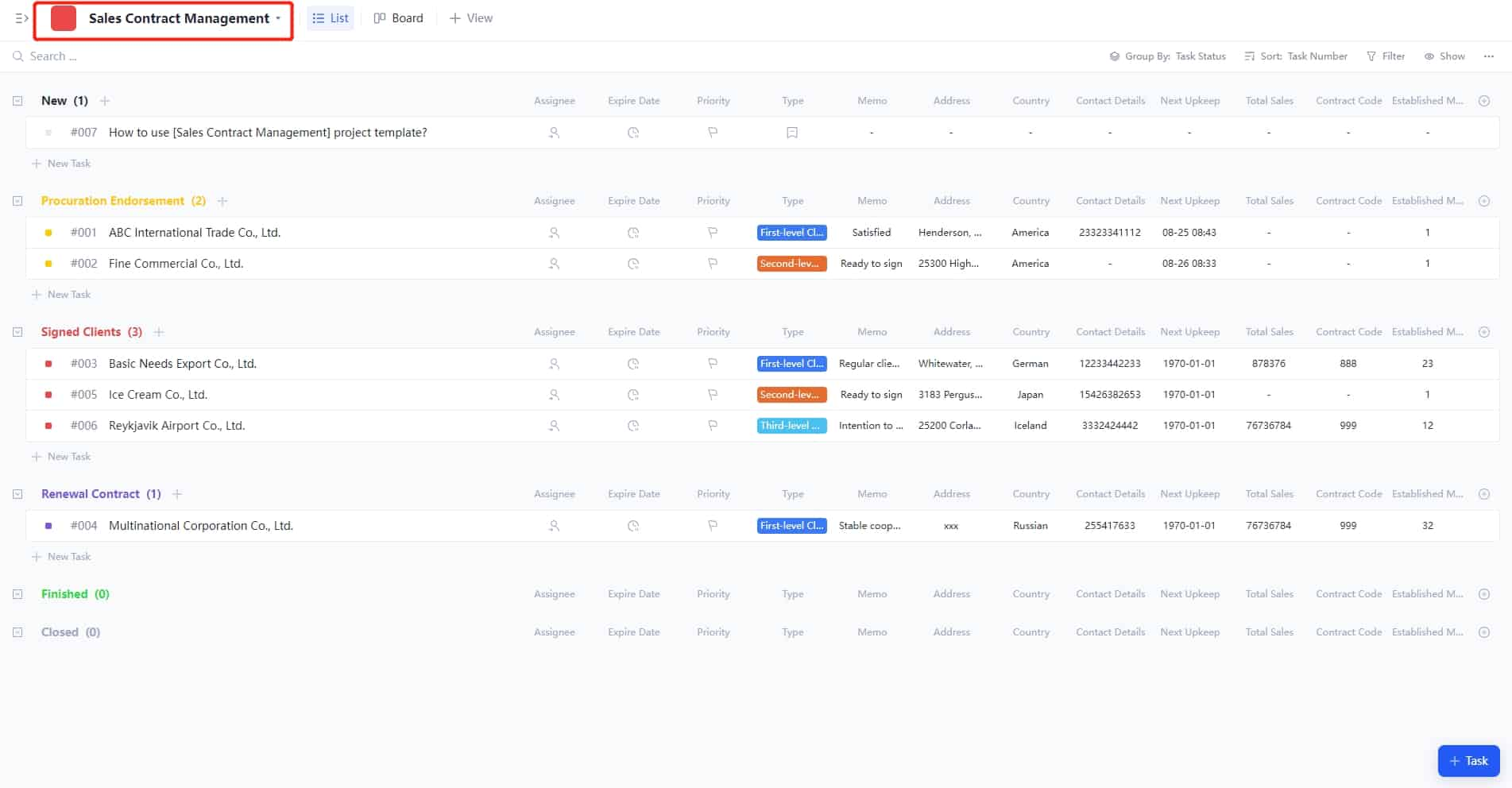
Here the writer will introduce users to a powerful CRM template that targets sale contract management.
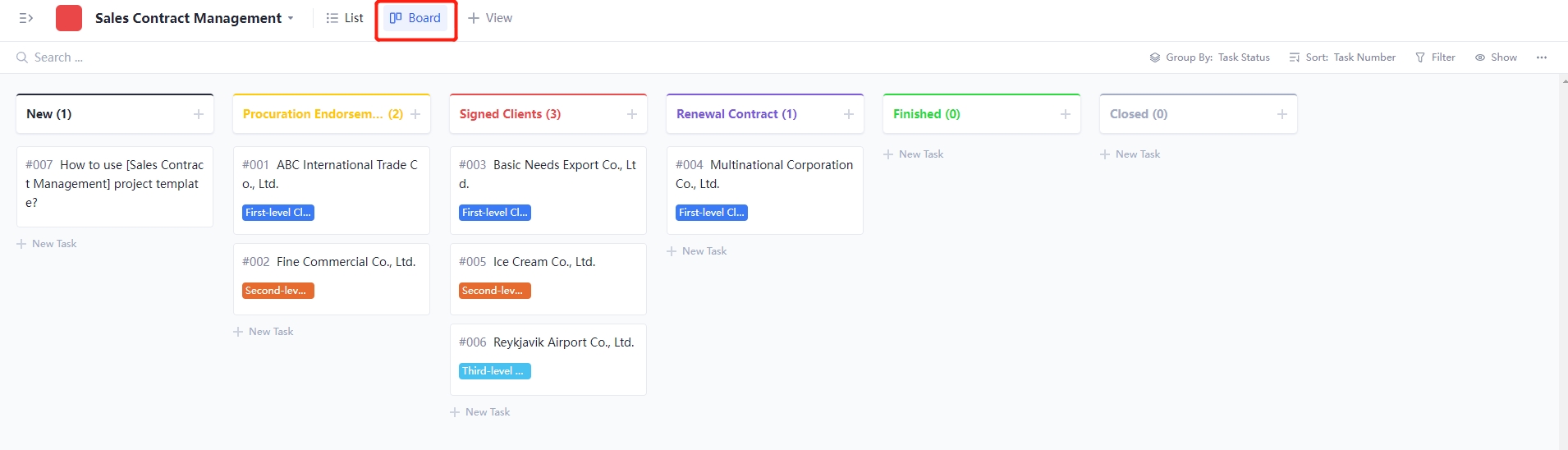
How to use the Sales Contract Management Template
The template helps us to record the execution of our client contracts, thus improving the efficiency and quality of the sales team.
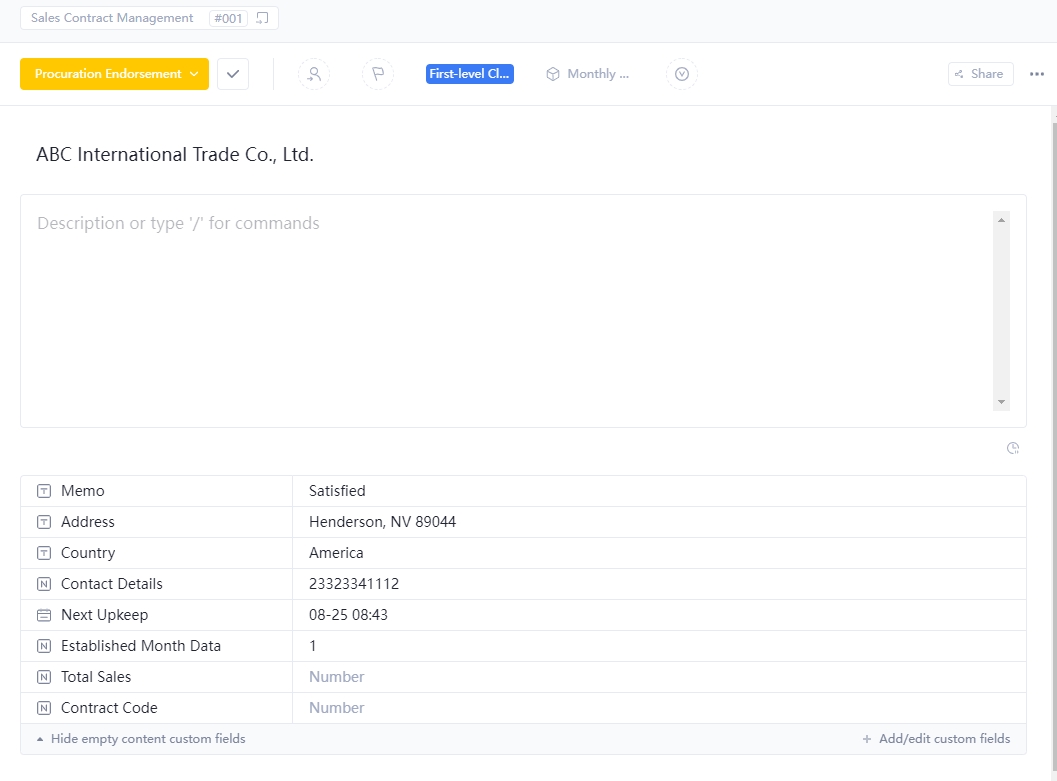
You will mainly use:
- Task status: Add the signed contract status of clients to the custom field of task status.
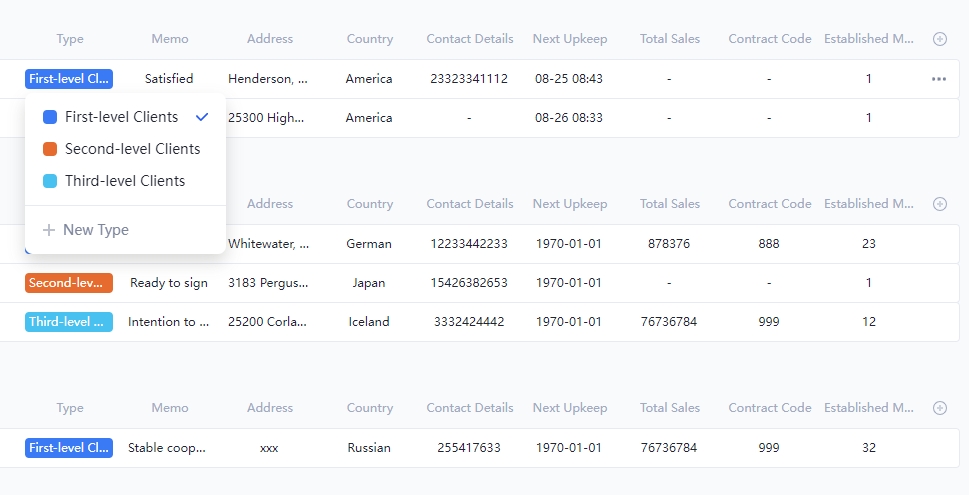
- Custom fields: According to the specific scenario, users can add corresponding custom fields to meet their needs.
- Attachment: Remember to add a contract to the attachment in the project.
Reminder: Custom fields, task types, task status, etc. The template can be customized, and you can adjust them according to the corresponding scenario.
Come to the point:
According to the real-time status of the interview, a relevant person can set the status of their tasks to learn about trends of their interview
Words In the End
For a few years, sales managers have tried to find a suitable tool for sales contract management. Fresh tools and technologies are emerging on top of the industry, and a desirable rate is being charged for using these tools.
Recently, a powerful project management tool, rich in phrases about “high efficiency“, launched its new template that allows users to manage their sale contracts. Other project management tools have been doing this for a few years, but only Tracup will give you a totally satisfactory experience and a free journey. Using Tracup is not merely economical but essential.
Additional Blogs About CRM
Tracup's previous blogs are either left where they are or waiting for users to read them. The experience of using Tracup and reading blogs under CRM is worth it.
For sales managers, tools with clear interfaces and simple access are important for service enhancement. Customer follow-up records are one of the most important parts of the work: The Most Effective Way for Client’s Schedule Management
With free CRM tools for startups, users can make and save tons of templates to reuse in the future and save even more time. It all starts in the project template center: What Is The Best Sale CRM Tools For Startups And Small Business
You have probably heard about sales forecast templates. but do not know what they really are and how to create them. In a word, It will help you plan ahead and prepare for upcoming sales campaigns: How to Create Forecast Sales CRM Template For Better Business
Effective management is the soul of business. And managers all know that the customer is always right, there’s no denying that customers, at the very least, are super important for the success of the business: How to Post Advance Custom Field in CRM Template
It was the best of times, it was the worst of times. We are affected by the recession right now. However, right now during the COVID-19 is the best time to reconnect with our past clients and offer help: How To Reconnect With Past Clients Email Template
If you have problems during the use of the template, please contact the Tracup team.
Read more: https://tracup.com/blog/How-To-Use-CRM-Template-Target-Sale-Contract-Management
Keywords: CRM Template, Contract text, sales contract, contract online, contract management, sale management, client contracts, online contract management, How to use CRM template, Tracup
Comments
Post a Comment